 Amsterdam




You run WordPress
A WordPress VPS is sized around PHP, database and caching workloads.
Give your website or shop its own resources, without the noisy neighbours and limits that come with shared hosting.
from$5.52/mo
$11.04/mo when billed monthly.
Open a page to see plans and details.
Let your platform and your traffic guide you.
A WordPress VPS is sized around PHP, database and caching workloads.
Carts and checkouts cannot be cached like blog posts, so allow extra CPU and memory.
A website and app VPS gives you a general base for your own stack.
Remember that on a VPS, updates and backups become your job.
Both are real servers with root access. The difference is what they are aimed at.
| WordPress VPS | Website & App VPS | |
|---|---|---|
| Best for | WordPress and WooCommerce | Custom sites and applications |
| Typical stack | PHP, MySQL and caching | Whatever you choose to install |
| Root access | ||
| Choose it if | Your site is built on WordPress | You are running anything else |
Practical hosting guides and server tips, newest first.
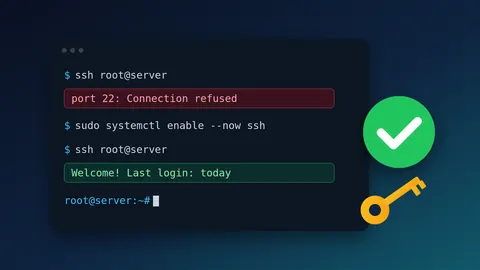
Can't SSH into your server? Whether you get "Connection refused" on port 22, a timeout or "Permission denied (publickey)", here's what each error means and how to fix it in a few minutes, even when you're locked out.
Your site shows "502 Bad Gateway" and nothing else. Here's how to read the Nginx error log, find out why the app behind it stopped answering, and fix the most common causes on WordPress, PHP-FPM, Node.js and Docker.
Your server suddenly can't save files, install updates or keep its database running. Here's how to find what filled the disk, free space safely in a few minutes, and stop it from happening again.
Short answers to common questions.
Not for a small site on modest traffic. A VPS makes sense when shared hosting becomes slow or too restrictive, or when you run a store.
It depends on your platform, plugins and traffic. Stores generally need more than a blog with similar visitor numbers, because checkout pages cannot be fully cached.
Yes, somewhat. On shared hosting the host looks after the server, while on a VPS you look after updates, security and backups yourself, because you get full root access to a real server. In return, your website or online store gets its own resources, without the noisy neighbours and limits of shared hosting. Installing a control panel makes those jobs easier if you prefer not to work in a terminal.
Choose a WordPress VPS if your site or shop is built on WordPress or WooCommerce, because it is sized around PHP, database and caching workloads. Choose a Website and App VPS for anything else, such as a custom CMS or an app built on Node.js, Django or Rails. Both are real CMS and ecommerce VPS servers with full root access.
An ecommerce VPS has to build cart, account and checkout pages fresh for every visitor, because those pages cannot be cached like a blog post. That puts more load on PHP and the database, so allow extra CPU and memory for a store. Object caching with Redis and fast NVMe storage also help product and order queries stay quick.
Yes. On a CMS or ecommerce VPS you can take a snapshot of the whole server before a core, theme or plugin update, then restore it in one click if something breaks. Snapshots are a quick safety net for updates, but keep regular backups as well, ideally stored in a second location away from the server.
Compare the options and choose a plan.