 Amsterdam




Measure what you use now
Your current server or analytics will show real monthly transfer. Start from that number.
Streaming, downloads and busy APIs use a lot of traffic. Compare monthly allowances and choose the one that matches your usage.
from$5.52/mo
$11.04/mo when billed monthly.
Each page lists its plans and locations.
Estimate first, so you are not paying for traffic you will never use.
Your current server or analytics will show real monthly transfer. Start from that number.
Add headroom for busy periods, rather than sizing for an average month.
Most websites and small apps fit comfortably within a few terabytes.
Media delivery and large downloads may justify a large or unmetered plan.
Choose by how much data you really move.
| Best for | Good to know | |
|---|---|---|
| 3 TB plans | Websites and small apps | Enough for most ordinary sites |
| 20 TB plans | Media, downloads and busy APIs | A large allowance at a fixed price |
| Custom bandwidth | Known, specific traffic needs | Dedicated plans with a range of allowances |
| Unmetered | Constant high transfer | Check the plan page for its port speed and terms |
Practical hosting guides and server tips, newest first.
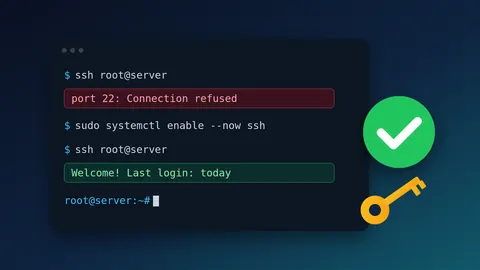
Can't SSH into your server? Whether you get "Connection refused" on port 22, a timeout or "Permission denied (publickey)", here's what each error means and how to fix it in a few minutes, even when you're locked out.

Your site shows "502 Bad Gateway" and nothing else. Here's how to read the Nginx error log, find out why the app behind it stopped answering, and fix the most common causes on WordPress, PHP-FPM, Node.js and Docker.

Your server suddenly can't save files, install updates or keep its database running. Here's how to find what filled the disk, free space safely in a few minutes, and stop it from happening again.
Short answers to common questions.
Most websites and small apps use far less than 3 TB a month, which is why our 3 TB plans suit ordinary sites. Streaming, file delivery, large downloads and backups are what push usage much higher, toward a 20 TB, custom or unmetered plan. Start from the monthly transfer your current server or analytics actually shows, then add headroom for busy periods rather than sizing for an average month.
Port speed is how fast data can move at any moment, measured in gigabits per second, while a bandwidth allowance is how much data you can transfer over the whole month, measured in terabytes. A 10 Gbps port lets you send a large file quickly; the allowance, such as 3 TB or 20 TB, decides how much you can send in total. Unmetered plans remove the monthly cap, so check their port speed and terms.
No. Unmetered bandwidth means your monthly transfer is not counted against a limit, but the speed is still bounded by the server's network port. A high bandwidth VPS on a 10 Gbps port can move data much faster than one on a 1 Gbps port. Our acceptable use policy and the plan's fair-use terms also apply.
It depends on the plan, so check the terms for your server and watch usage in your dashboard so you can act before you reach the limit. On 20 TB plans, support moves you to a higher bandwidth tier or a custom plan, and we do not bill per-gigabyte overage. Smaller plans can move up to a 20 TB plan.
For media delivery, large downloads and busy APIs, the 20 TB bandwidth plans give a large allowance at a fixed monthly price. If your transfer is constant and very high, an unmetered VPS removes the monthly cap under fair-use terms. When you know your exact numbers, a custom bandwidth plan can be sized to them.
Start from what you use today: your current server or your analytics shows the real monthly transfer. Add headroom for busy periods rather than sizing for an average month, then compare that figure with the 3 TB, 20 TB, custom and unmetered high bandwidth VPS options. Most websites fit within a few terabytes, while media delivery may need much more.
Compare the allowances and choose a server.